

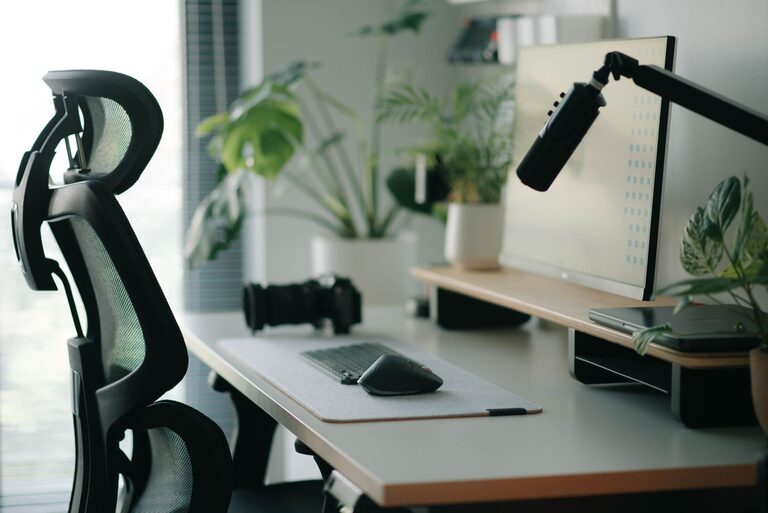
Creating a workspace that promotes both focus and comfort is key to maintaining productivity and well-being throughout the day. Whether you work from home or in an office, a well-thought-out desk setup can minimize distractions, reduce physical strain, and help you stay organized. In this post, we’ll explore practical tips to design your desk for maximum comfort and focus.
Why a Good Desk Setup Matters
A cluttered or poorly arranged workspace can lead to discomfort, decreased focus, and even physical issues like back or wrist pain. On the other hand, an optimized desk setup supports good posture, keeps necessary tools within reach, and creates an environment that encourages sustained concentration.
Choosing the Right Desk and Chair
Desk Height and Size
– Your desk should be at a height where your forearms rest parallel to the floor when typing.
– A surface large enough to accommodate your computer, essential supplies, and a little extra space for writing or other tasks will prevent clutter.
– Consider adjustable desks or sit-stand desks if you want the flexibility to change your working position throughout the day.
Ergonomic Chair
– Invest in an ergonomic chair that supports your lower back.
– Adjustable features, including seat height and backrest angle, help customize the chair to your body.
– A chair with proper lumbar support reduces strain and encourages good posture.
Monitor Placement and Screen Setup
– Position your monitor about an arm’s length away to reduce eye strain.
– The top of the screen should be at or slightly below eye level so you don’t have to tilt your head.
– Use a monitor stand or adjustable arm if your desk surface is too low or too high.
Multiple Screens
– If you use more than one monitor, angle them slightly inward to avoid excessive neck turning.
– Keep frequently used windows on the primary screen to minimize distractions.
Keyboard and Mouse Position
– Place your keyboard and mouse at a height where your elbows stay close to your body and form a 90-degree angle.
– Consider an ergonomic keyboard or mouse to reduce wrist strain.
– Use a mouse pad with wrist support for added comfort.
Organizing Your Desk for Efficiency
Declutter Regularly
– Keep only essentials on your desk to create a clean space that supports focus.
– Use cable organizers to keep cords tidy and out of the way.
Storage Solutions
– Use drawers, shelves, or desktop organizers to keep supplies like pens, notebooks, and chargers within reach but not in your way.
– Label storage containers for quick access.
Personal Touches
– Adding plants, photos, or artwork can make your workspace more inviting and reduce stress.
– Avoid too many distractions like excessive decorations or gadgets.
Lighting Tips for Comfort and Focus
– Natural light is best, so position your desk near a window if possible.
– Use a desk lamp with adjustable brightness and color temperature to reduce eye strain during evening hours.
– Avoid glare on your screen by positioning lights and windows to the side rather than directly behind or in front.
Maintaining Good Posture and Taking Breaks
– Sit with your back straight, feet flat on the floor or supported by a footrest.
– Keep your wrists straight while typing and your shoulders relaxed.
– Take regular breaks to stand, stretch, and move. The 20-20-20 rule is helpful: every 20 minutes, look at something 20 feet away for 20 seconds.
Additional Accessories to Enhance Comfort
– A footrest can improve posture and reduce pressure on your legs.
– Wrist rests provide extra support while typing.
– Noise-cancelling headphones can help block distractions in busy environments.
Final Thoughts
Optimizing your desk setup can make a significant difference in your daily comfort and ability to focus. It doesn’t have to be expensive or complicated—simple adjustments to your furniture placement, lighting, and organization habits can transform your workspace. Take the time to customize your desk to your needs, and you’ll likely notice improved productivity and well-being.
Remember, your workspace should support how you work best. Experiment with these tips, and adjust as necessary to create an environment where you can thrive.